
Guide
Set strategies and get alerts before it matters
Tracking your portfolio is step one. It tells you where you stand right now. But a dashboard you have to remember to open does nothing at 3am when a borrow drifts toward liquidation or a Liquidity Pool slides out of range.
The point is to act in time. Uniqueledger lets you set strategies on a wallet group and then sends DeFi portfolio alerts by email and a Daily Digest, so the thing that matters reaches you before it costs money. This guide walks through each strategy type, what it watches, exactly when it emails you, and how to set it up.
Before: you are the alert
Today, you are the monitoring system. You check the Aave app to see if your Health Factor held. You open the pool to see if price is still inside your range. You refresh a chart to see if the dip you were waiting for finally came. You eyeball whether one token quietly grew into half your Net Worth.
Miss a day and the market does not wait: a liquidation, a position out of range earning nothing, an entry you meant to take and did not, an allocation you never meant to hold.
After: set the strategy once, let it watch
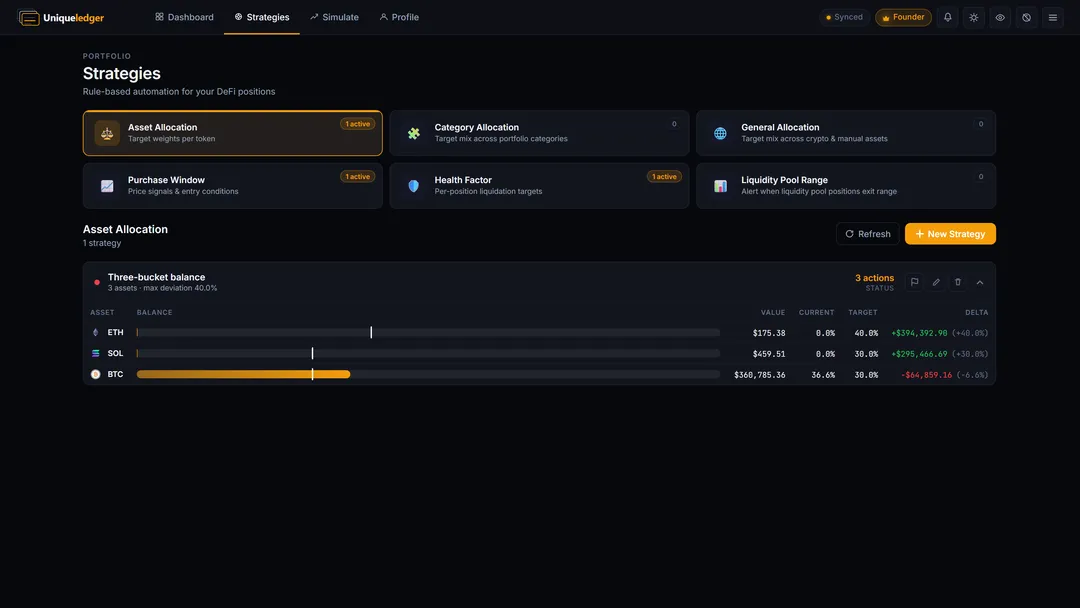
A strategy is a rule you set on a wallet group. Uniqueledger checks it against your real positions, read from the chain, and tells you when it matters. There are four kinds, each tied to a decision you actually make:
- Health Factor: a target and a critical floor for each Aave or Kamino lending position.
- Liquidity Pool range: the price band each concentrated position earns fees in.
- Purchase window: the price, move and sentiment conditions you want to buy or sell into.
- Target allocation: the mix you want to hold, by token, by category, or across crypto and assets you enter manually.
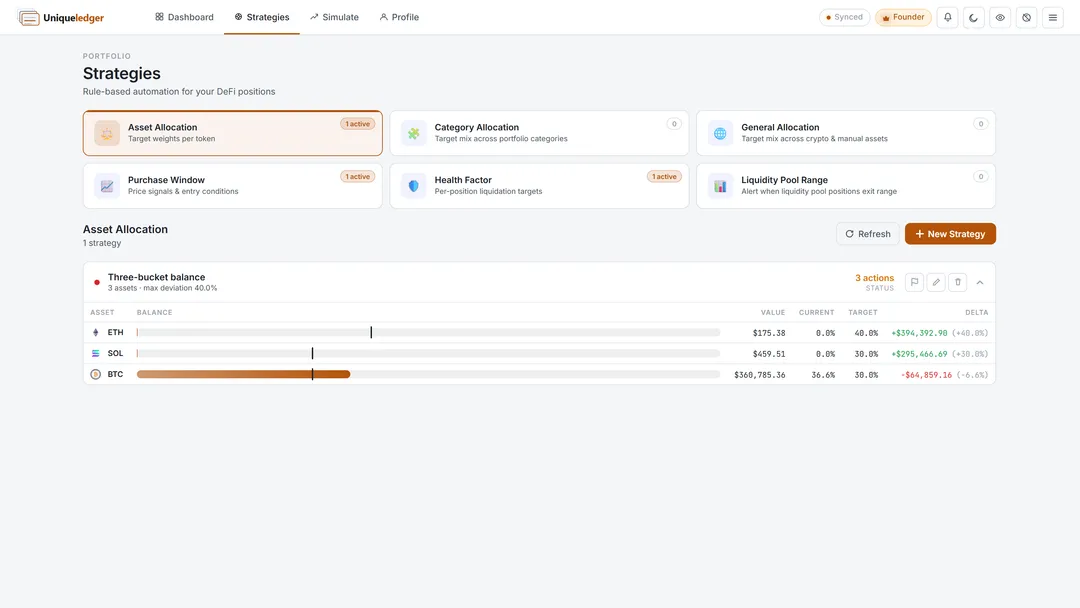
They all live on one page, one card per strategy type, with a count of how many you have running on the group.
Set a strategy and let it watch for you →
Health Factor: know before liquidation does
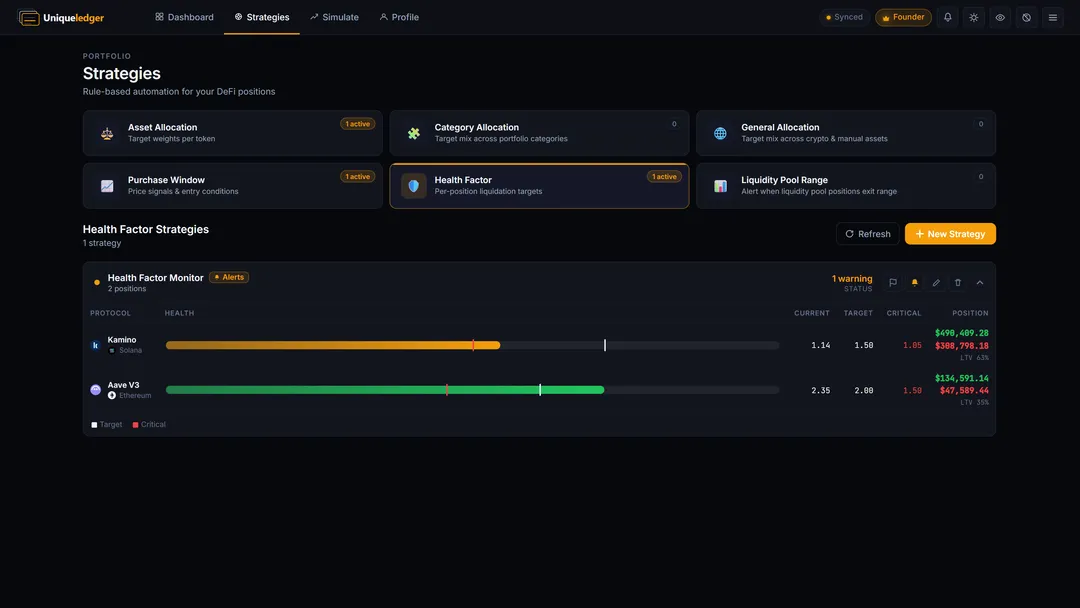
Pick the lending positions you want to watch. For each one you set two numbers: a target Health Factor, the level you are comfortable at, and a critical floor below it, the line you never want to cross. The card shows every watched position on one bar, with the current Health Factor, your target and your critical floor, plus the collateral and debt behind it.
Each position reads as safe, warning once it gets within 10% of the critical floor, or critical once it reaches it. That way you see the slide before it becomes an emergency.
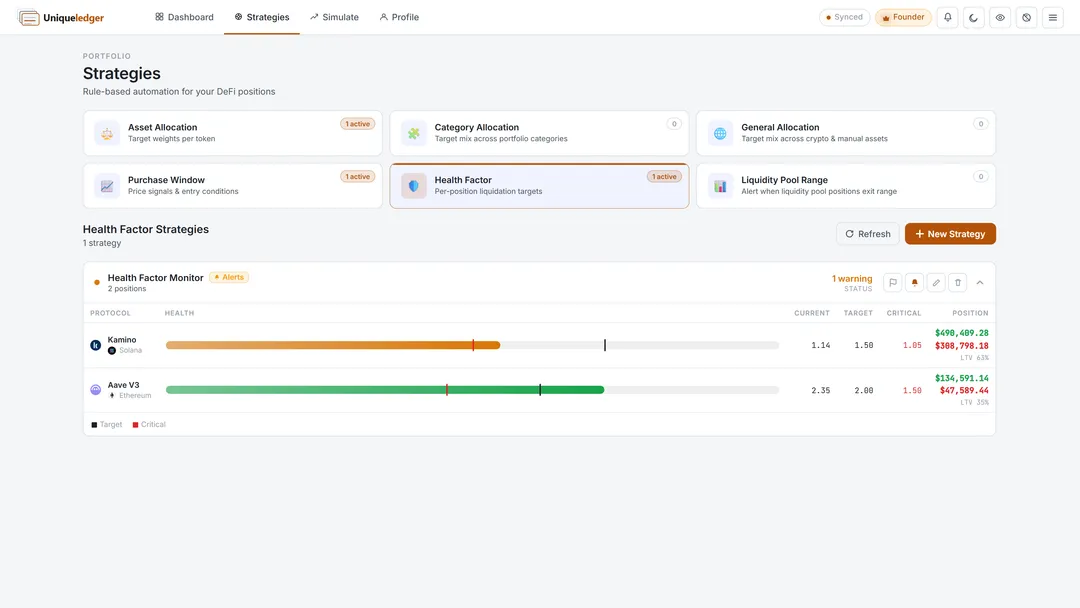
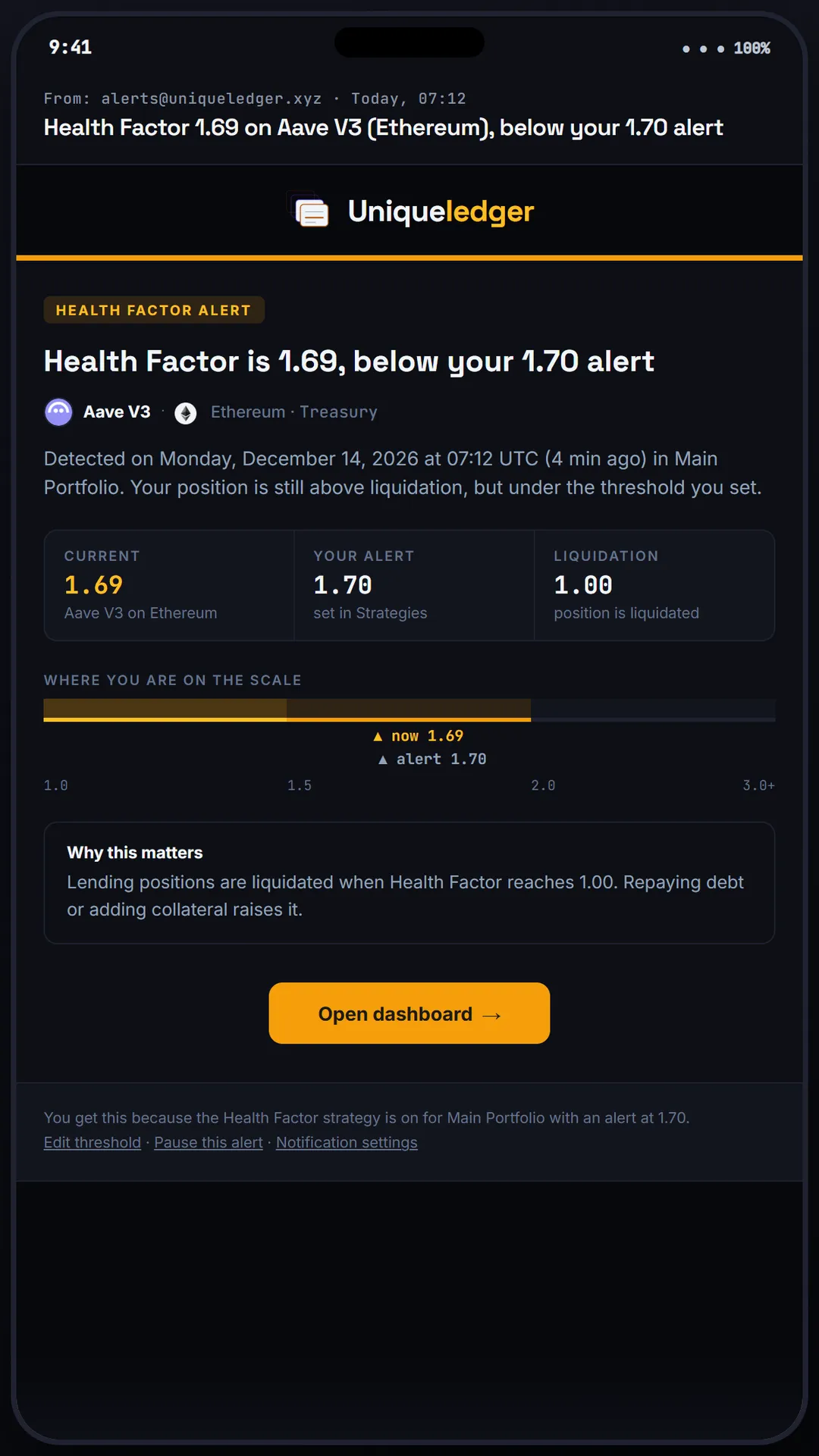
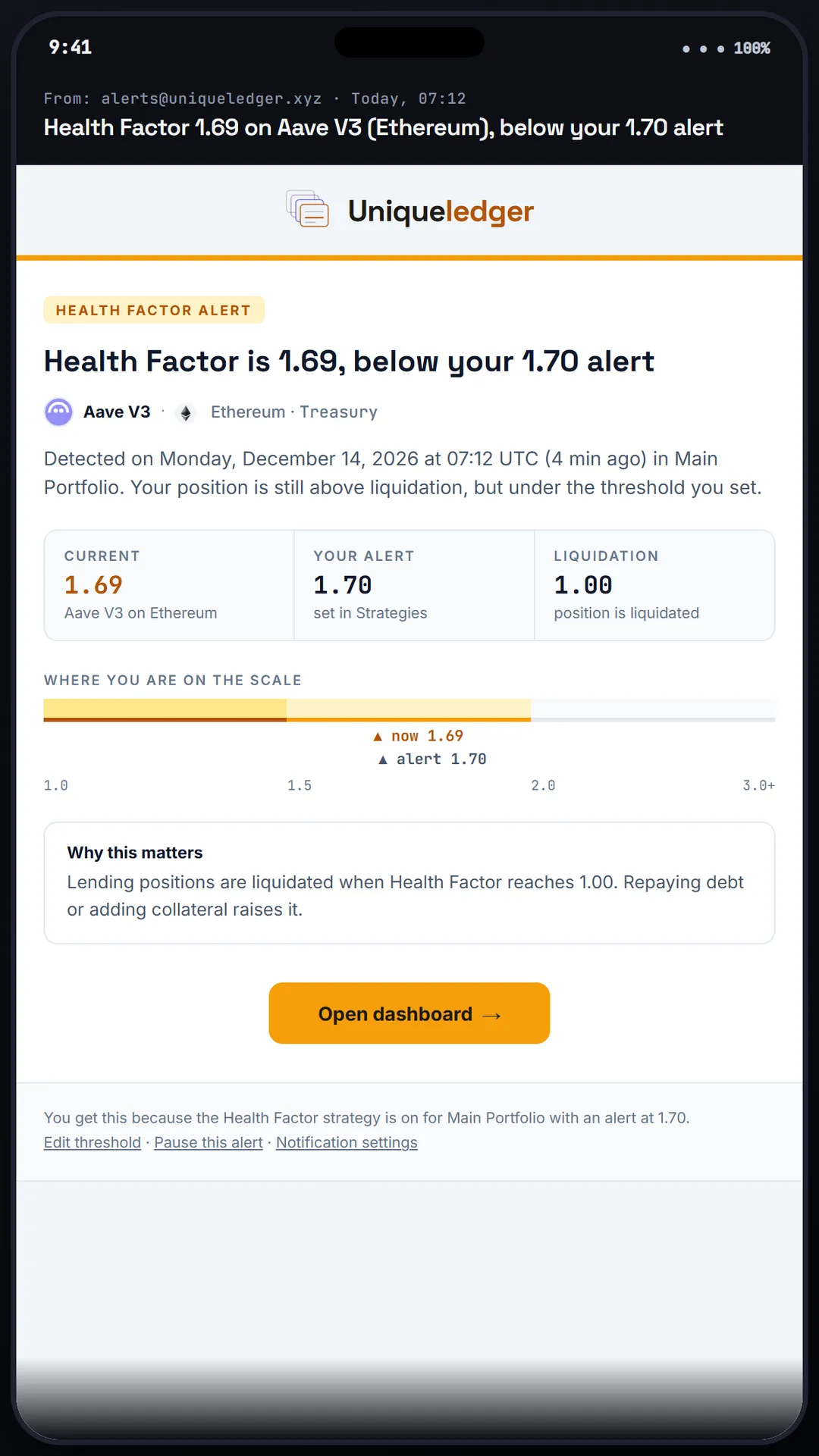
When it emails you: when a position’s Health Factor drops below the critical floor you set. The email names the protocol, the chain and the Health Factor right now, against your floor. While the position stays below the floor, you get at most one email every 12 hours, so a bad night does not become fifty emails. Once it recovers, the strategy resets and is ready to warn you again.
Liquidity Pool range: know when you stop earning
A concentrated Liquidity Pool only earns fees while the price sits inside your range. The range strategy watches all your concentrated positions on the group, or only the ones you pick. For each position you see a bar with the lower and upper edge of the range and where the price is now, the distance to the nearest edge while in range, or how far above or below it is once out, and the width of the range itself.
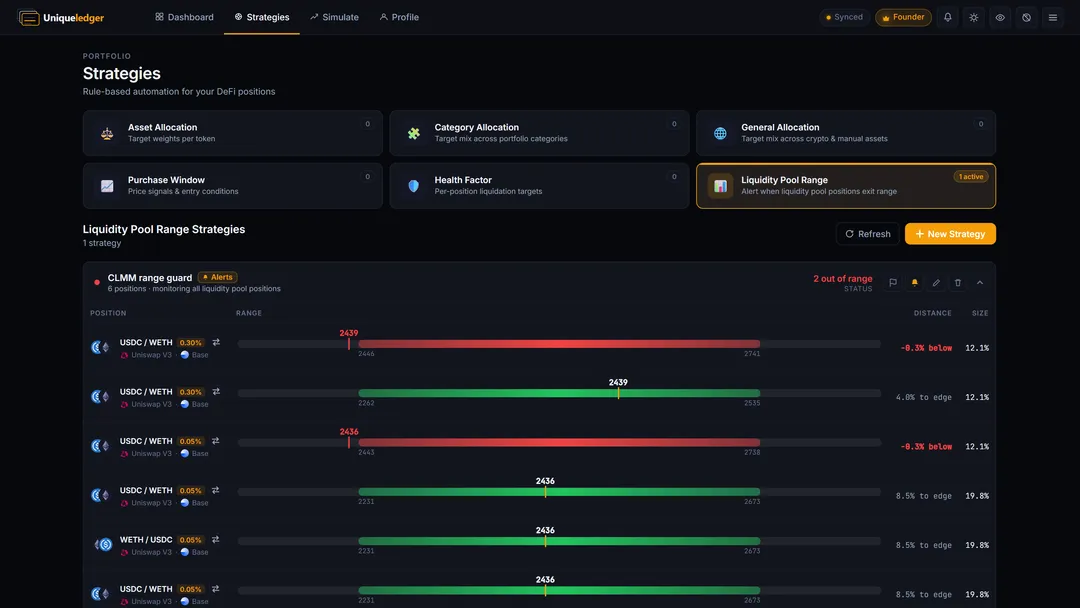
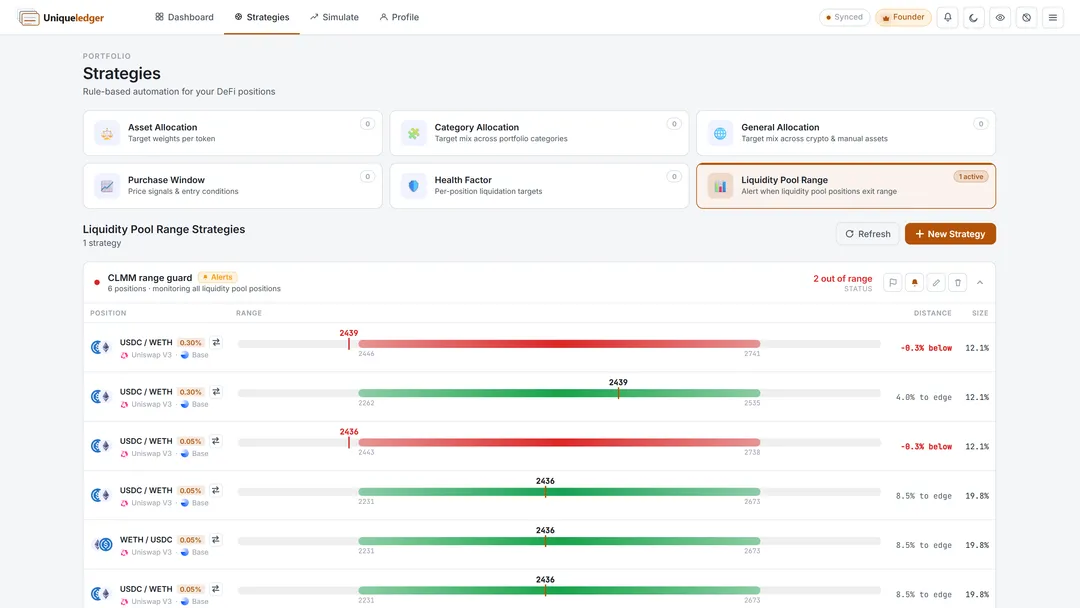
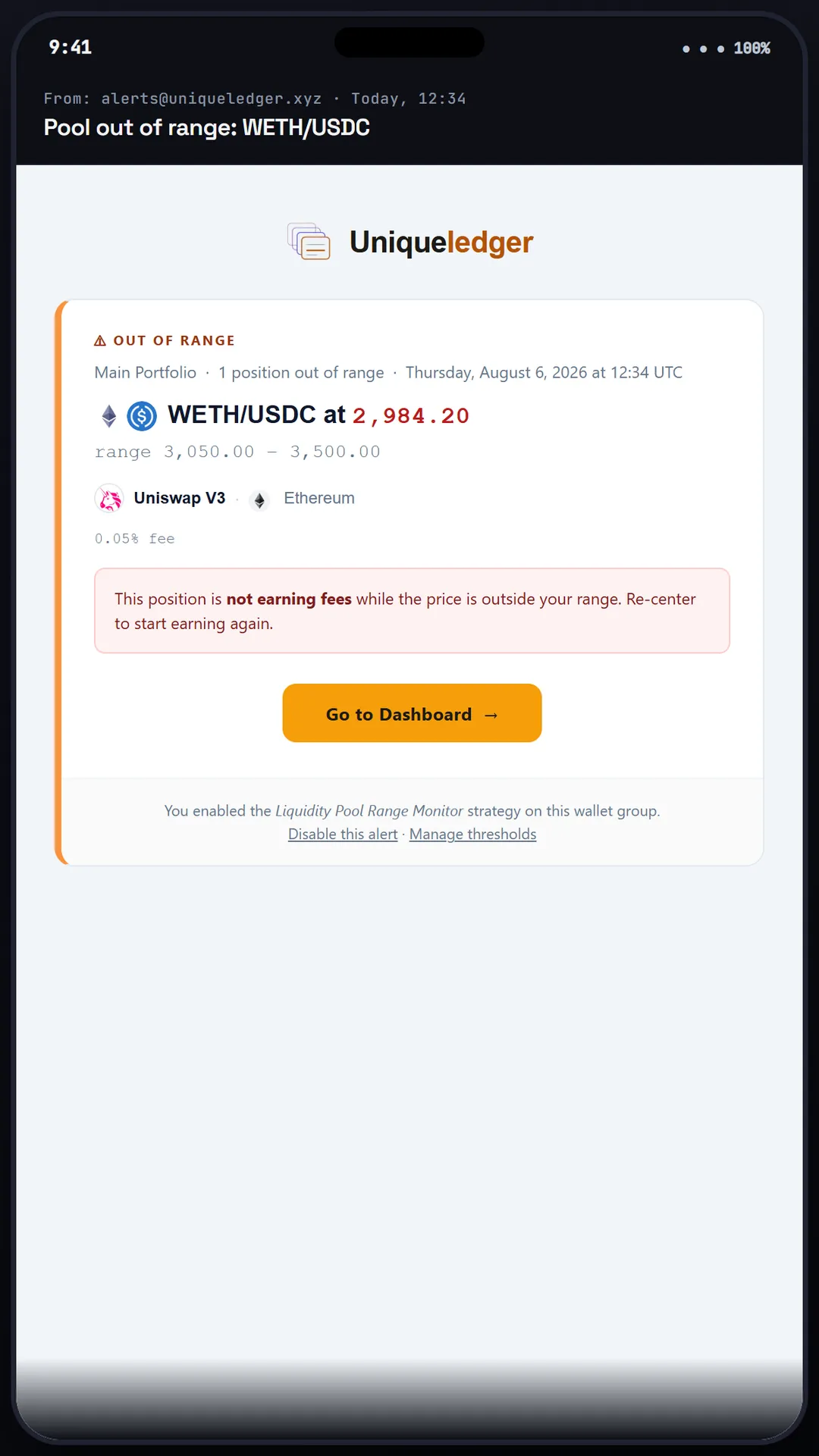
When it emails you: when a position moves from in range to out of range. A position that was already out of range the first time Uniqueledger saw it does not fire, because nothing changed. The email lists each position that left its range, the range, the current price and whether it broke above or below. Like the Health Factor alert, it waits 12 hours before repeating.
Purchase window: buy or sell on a plan, not on impulse
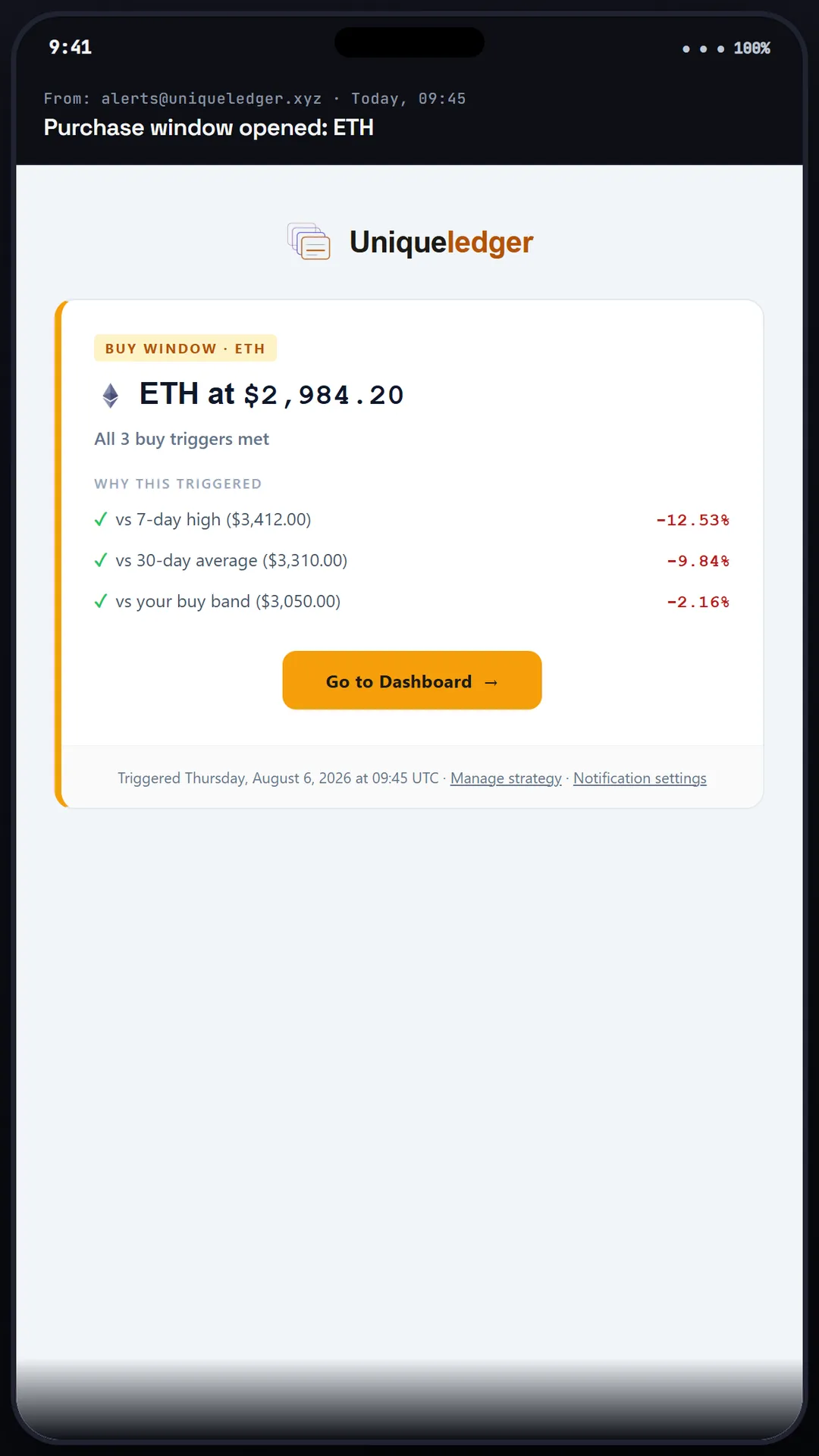
The purchase window turns the entry or exit you planned into conditions Uniqueledger checks for you. For each asset you choose a side, buy or sell, and add one or more triggers:
- Window: a move over a period, from 1 hour to 1 year or year to date. For example, SOL down 10% over 7 days.
- Price: a price target, above or below. For example, BTC below $60,000.
- Sentiment: the Fear and Greed Index, above or below a threshold. For example, buy ETH when the market reads fearful.
An asset’s window opens only when all of its triggers are met at once. The card shows each trigger live, with how many are met out of the total, so you can see a window getting close.
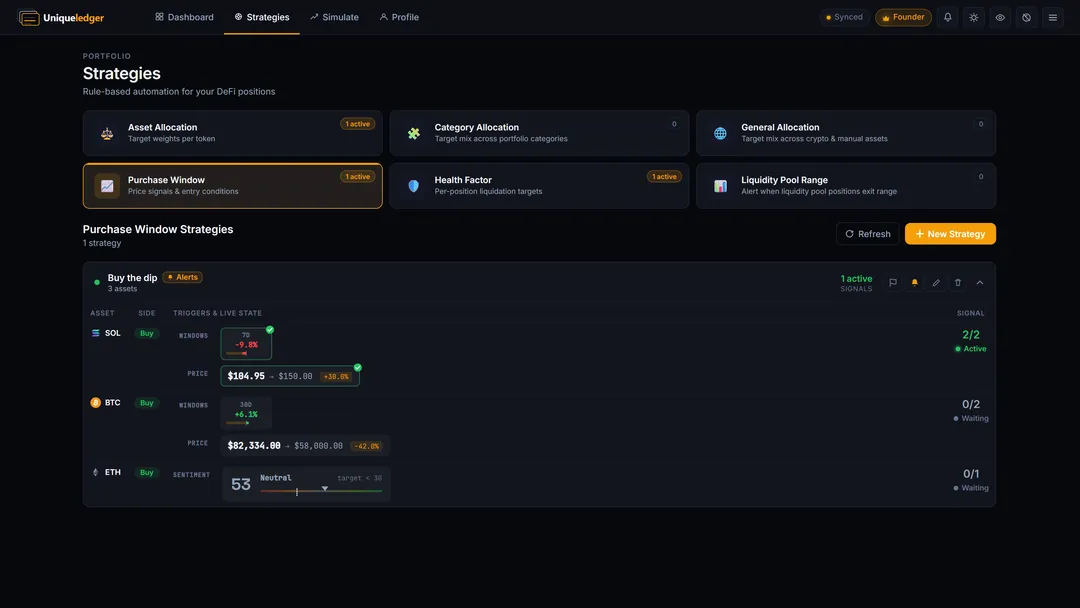
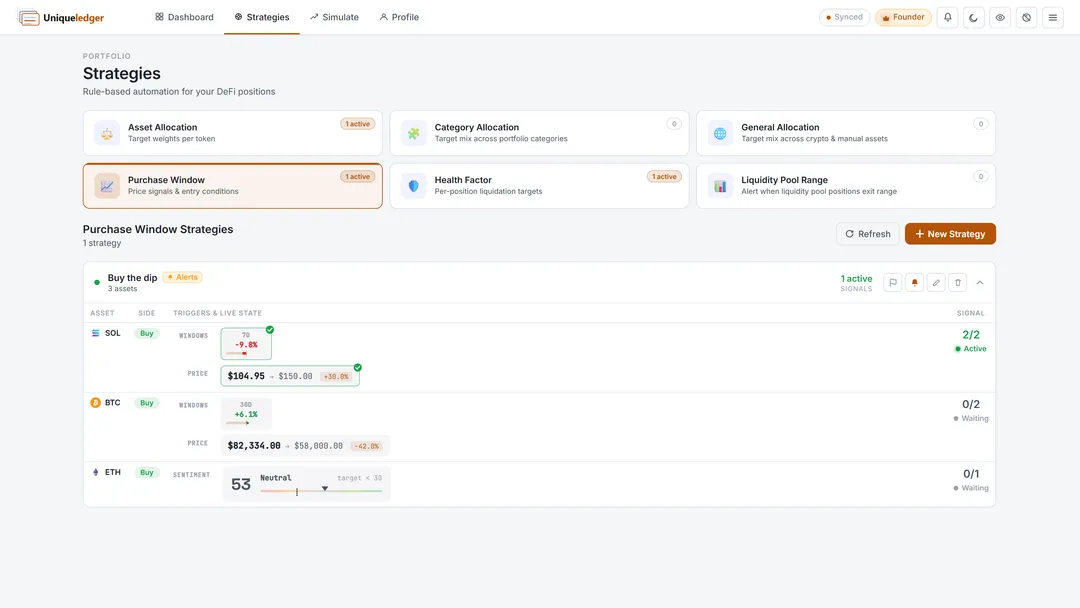
When it emails you: when an asset goes from waiting to an open buy or sell window. If several open in the same check, you get one email listing all of them, with each trigger that fired. After it sends, the strategy waits 24 hours before emailing again. If the sentiment reading is unavailable, that trigger is marked unavailable rather than guessed, so a window never opens on a number nobody read.
Target allocation: see the drift, every time you look
Set the weight you want for each asset in the group. Uniqueledger compares it with what you actually hold and shows, for every asset, the current weight, the target, the gap in value and whether to increase or decrease it. There are three ways to set it up: by asset, token by token; by category, such as wallet holdings versus lending versus Liquidity Pools; and general, a target mix across your tracked crypto and assets you enter manually.
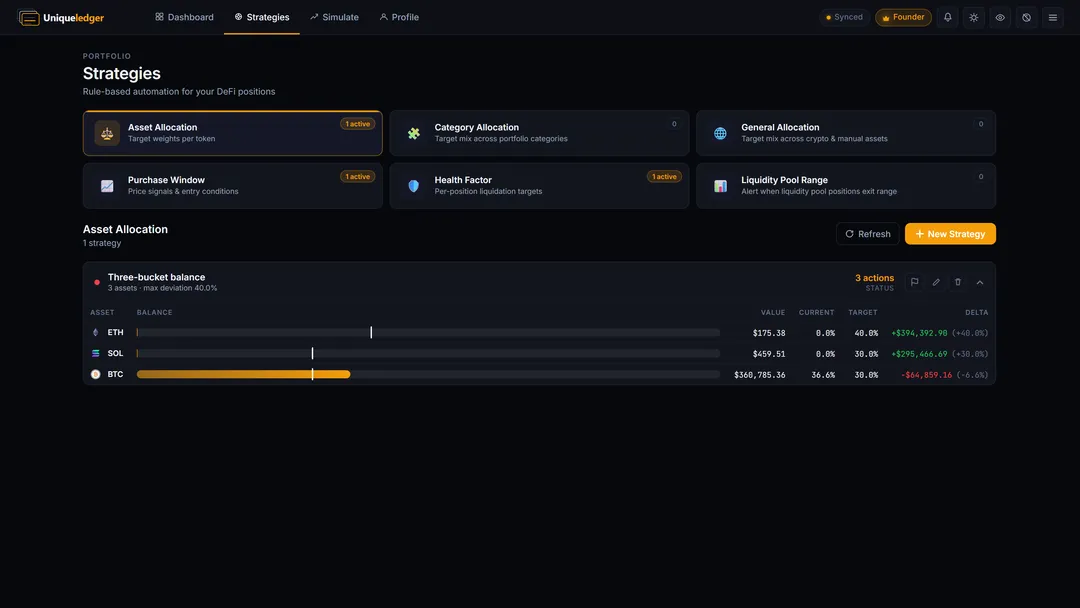
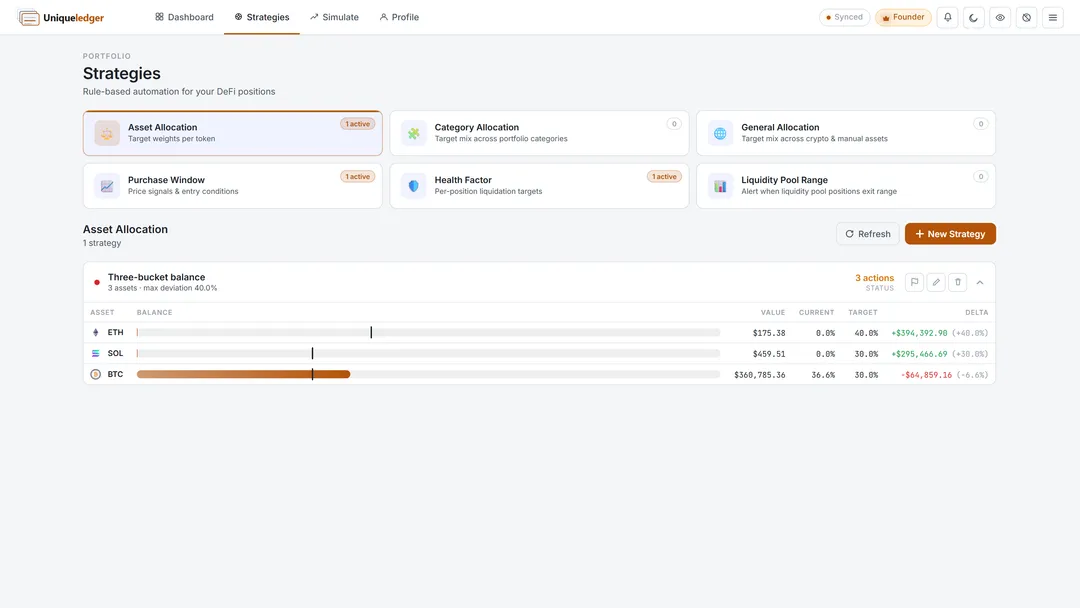
Target allocation is calculated live in your browser every time you open the group. It does not send emails. It is the plan you check against, not an alarm.
The bridge: alerts and the Daily Digest
A strategy is only useful if its signal reaches you, and that happens by email. You add one email address and confirm it with a 6-digit code. From then on, every Health Factor, range and purchase window strategy with alerts turned on can reach you.
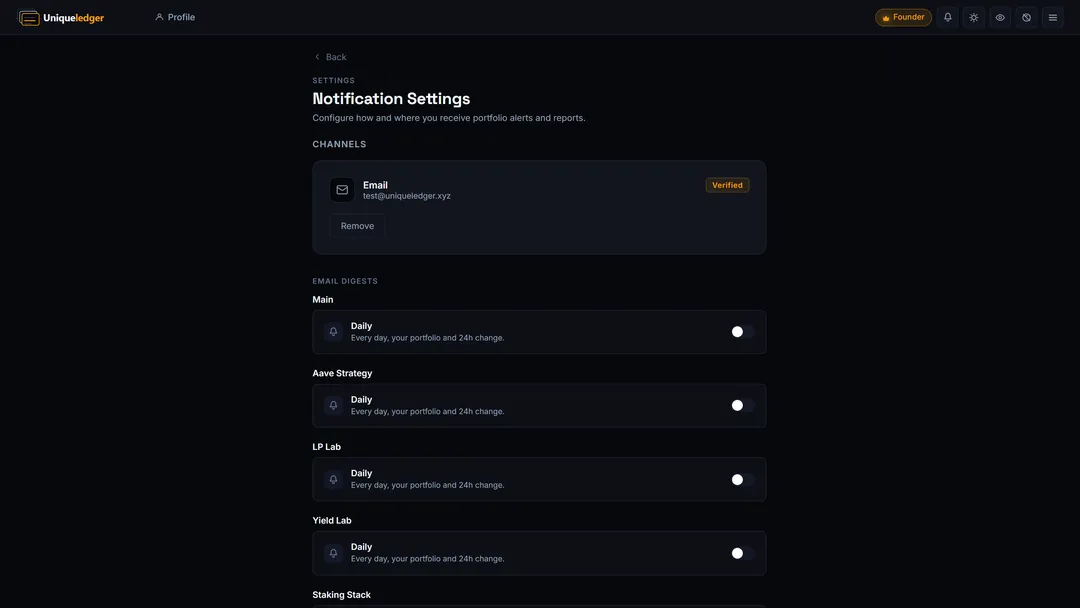
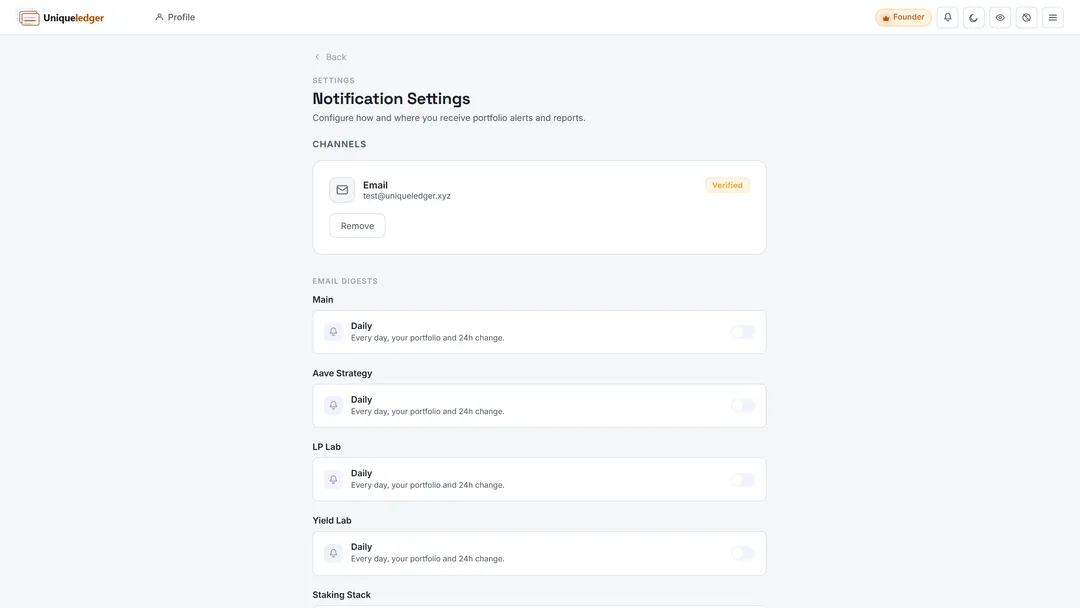
On the same page you choose which wallet groups send you a Daily Digest: once a day, a summary of where that group stands, with its Net Worth, PnL, lending health and positions, in one read. Below it, an alert history lists the last alerts sent, each marked delivered or failed, so you can confirm a warning actually went out.
How to set it up
- Group your wallets. Add your addresses and group the ones you want to treat as one portfolio. Paste an address, no email needed to start.
- Open Strategies on the group and pick a strategy type.
- Choose what to watch. The lending positions for a Health Factor strategy, the pools for a range strategy, the assets and triggers for a purchase window, the weights for an allocation.
- Turn on alerts with the bell on the strategy.
- Verify your email in notification settings and, if you want the once-a-day summary, turn on the Daily Digest for the group.
- Act when one fires. Add collateral, re-center a range, take the entry you planned.
Alerts you can trust
Alerts are checked against the most recent complete reading of your portfolio, never a partial one. If Uniqueledger could not read every source for a wallet group, that reading is not used to alert you. A false alarm teaches you to ignore alerts, and a missed one costs money, so the rule is simple: only alert on numbers that are whole.
Everything is read from the chain. Nothing is signed, and your keys never leave your device.
Strategies watch what you already track. Set them on all your wallets in one dashboard and let the alerts come to you.