
How-to
Track your Uniswap V3 liquidity, fees and range in one place
You opened a Uniswap V3 position, picked a range, and then had to keep a browser tab open just to check whether it is still earning. The value drifts with every price move, the fees tick up slowly, and the one thing that decides if you earn anything at all, whether the price is in your range, lives somewhere you have to remember to look.
A way to track your Uniswap V3 position fixes that: the whole Liquidity Pool position read from the chain and shown next to the rest of your portfolio, with the range status, the fees, and the honest net vs hold all in view.
The problem: your Liquidity Pool position is on an island
Uniswap shows you Uniswap. It does not show that position next to your lending, your wallet holdings, or your other Liquidity Pools. So:
- You cannot tell at a glance whether the price is in your range or sitting idle out of it.
- The fees you have earned are buried behind a claim screen you rarely open.
- You have no honest read on whether providing liquidity actually beat just holding the two tokens.
Track your Uniswap V3 position, read from the chain
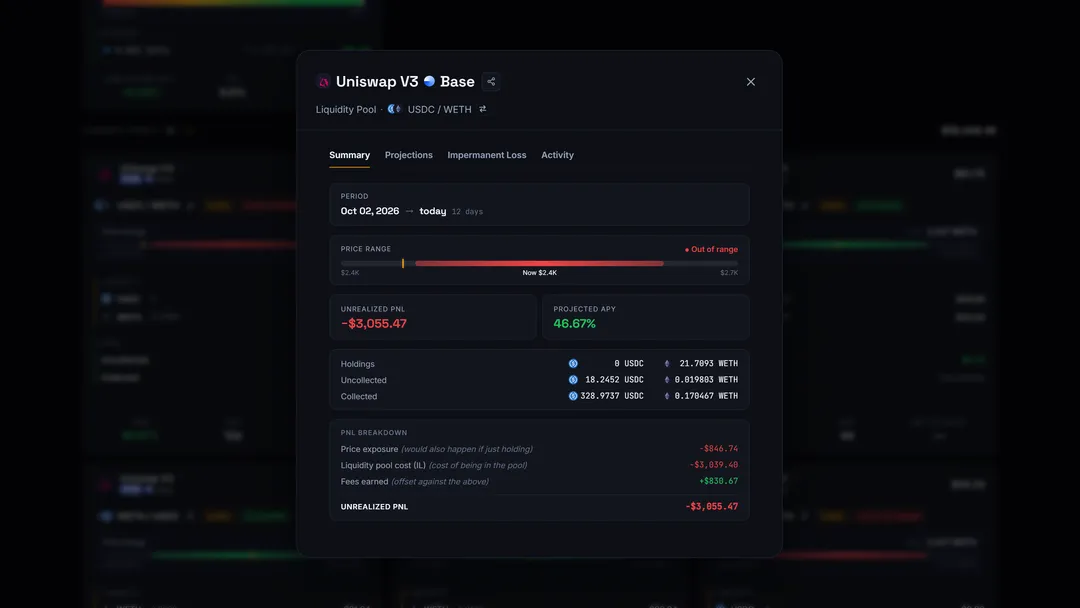
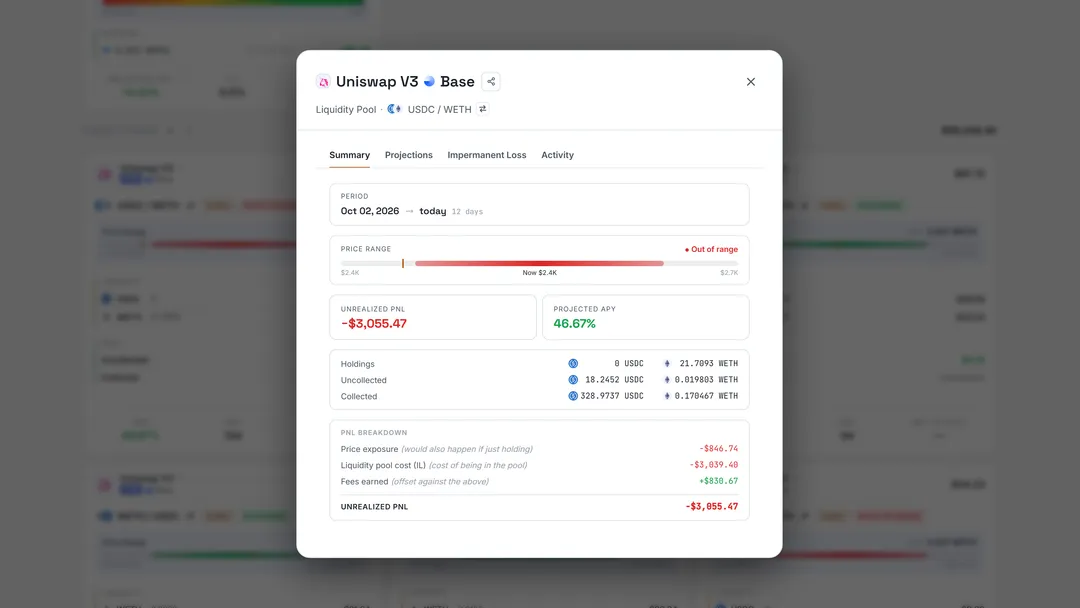
Uniqueledger reads your Uniswap V3 Liquidity Pool position straight from the chain and shows it next to everything else you own. You see whether the price is in or out of your range, how much of each token the position holds now, the fees still uncollected and the fees already collected, and an unrealized PnL split into price exposure, impermanent loss and fees. Nothing to sign, no email, and your keys never leave your device.
See your Uniswap V3 position, read from the chain →
The number that matters: net vs hold
Fees earned on their own look like free money. They are not the whole story. When the price moves, the position rebalances into more of the token that fell, and you can end up with less than if you had simply held both tokens. Uniqueledger does that math for you and shows the honest net vs hold, so you know whether the fees actually paid for the impermanent loss.
See where the position lands over time
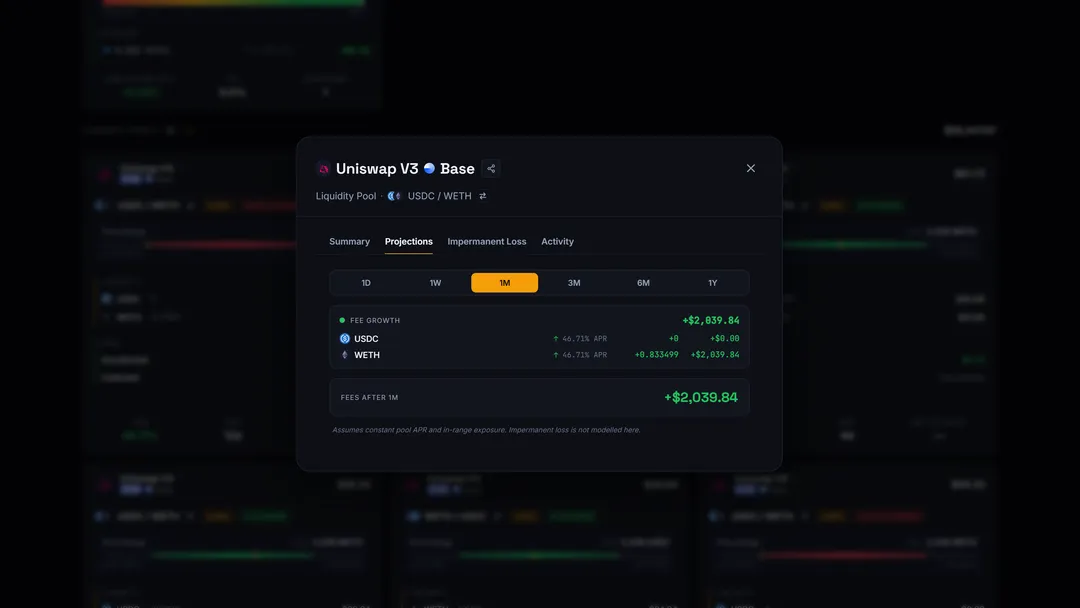
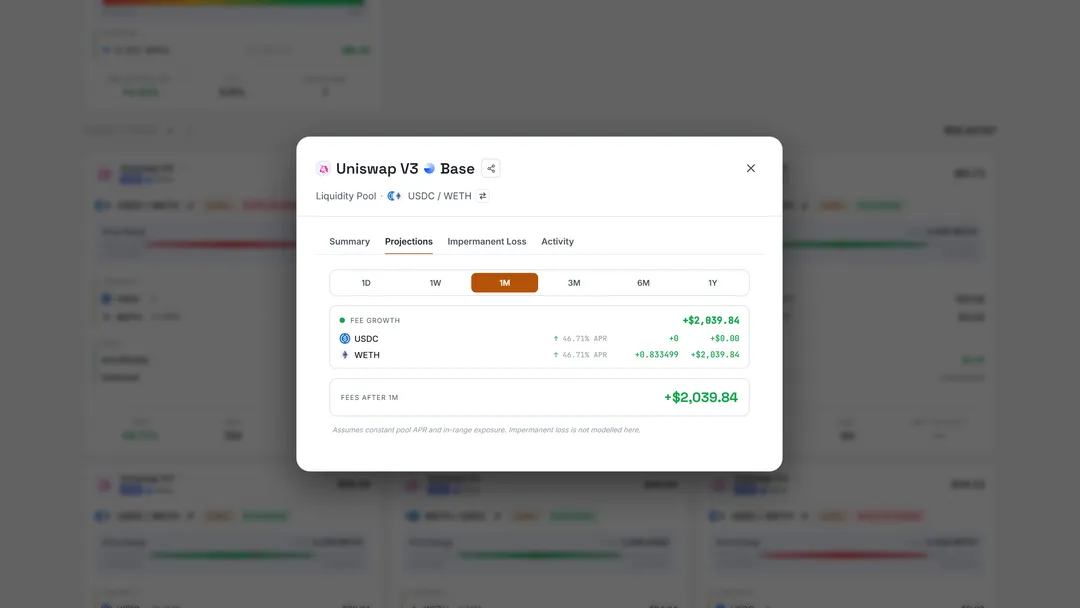
The Projections tab rolls today’s fee rate forward, so you can see the fees the position is on track to earn over a day, a week, a month, or a year at the current pace, token by token.
Because it is all read from the chain, you can track any Uniswap V3 wallet this way, including ones that are not yours. Add the rest of your addresses and see this position next to all your wallets in one dashboard.